

Learn how to manage your templates
Updated less than a month ago
Materia+ includes a Care Plan feature to help patients follow treatments and protocols. Templates, both pre-built or custom are used to create Care Plans.
Pre-built Templates
Materia+ comes equipped with ready-to-use Care Plan templates covering remedy protocols, nutrition plans, fitness goals, and every modality offered on the platform.
To use a pre-built template when creating a new Care Plan: Go to Care Plans and select Create New.
Then, hover over Templates and select Pre-Built Templates.
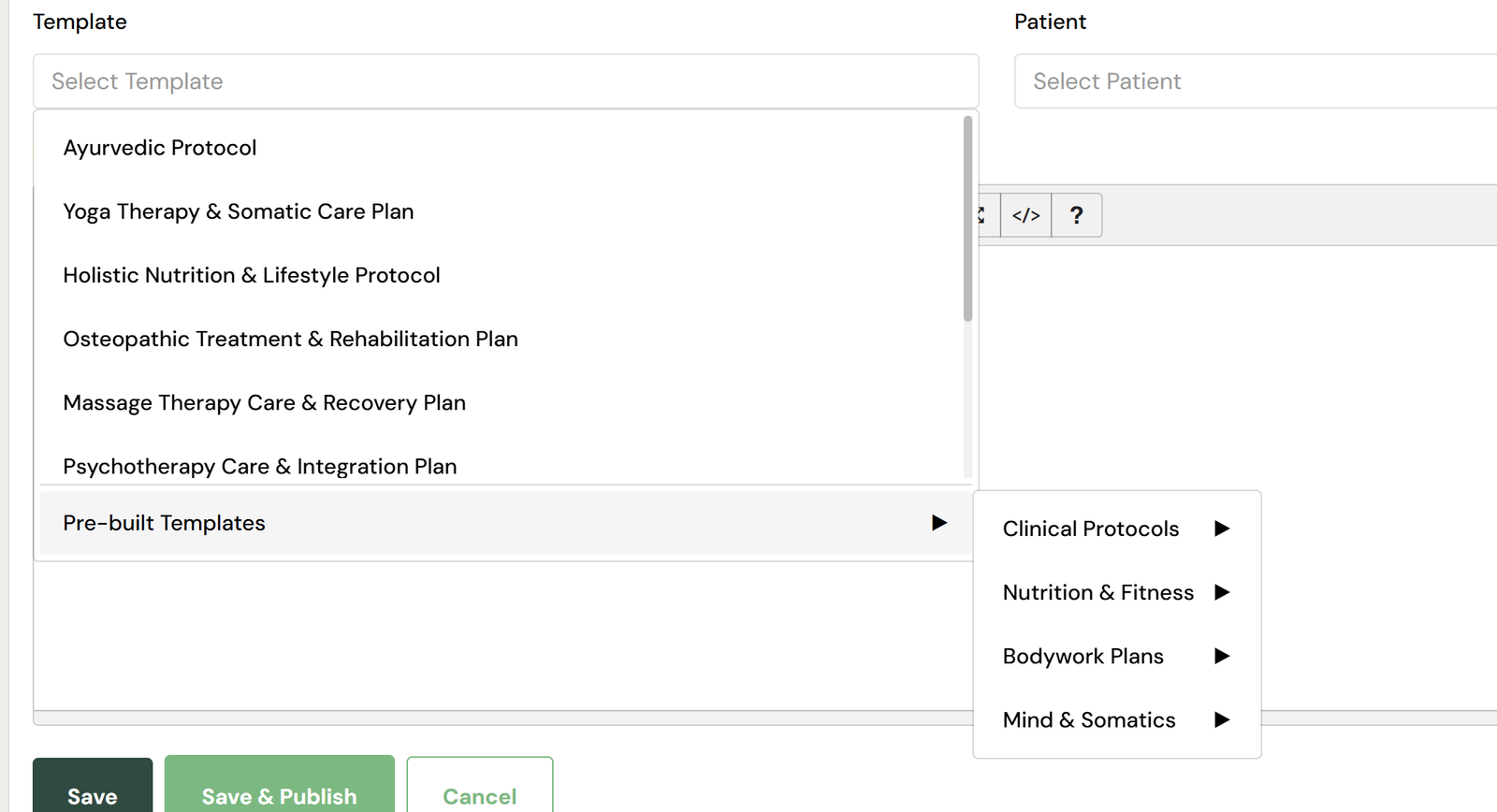
Browse and select the template that fits your patient's needs.
Design/create your own template (My Templates)
Materia+ allows you to create custom Care Plan templates built specifically around the way you practice. This feature is ideal for providers who utilize specific therapeutic protocols or who want full freedom over how their clinical recommendations are structured.
To build your own:
Go to My Templates and select Create New.
Utilize the editor to build out your custom sections, goals, and guidance.
Save your template. When you start drafting a Care Plan for a patient, hover over Templates and instantly load your personal design into the editor.