How to hide/display certain badges and milestones?
Learn how to hide or display certain badges and milestones
Updated less than a month ago
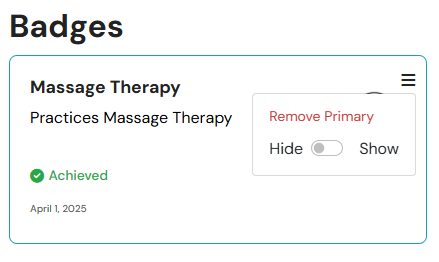
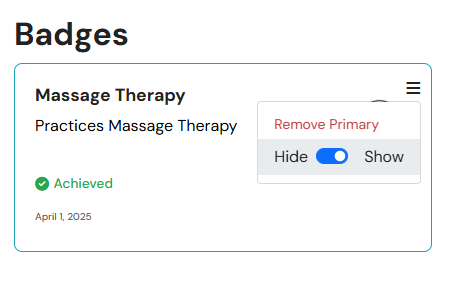
To hide or show a badge or accolade, proceed to the Badges and Milestones section. Open the menu for the particular badge or accolade you wish to hide or display, then select either hide or display.
Use of this
website, content, and products are for informational purposes only.
Materia+ and its governing entity does not provide medical advice, diagnosis, or
treatment.
HH Inc. All Rights Reserved 2026.
We use cookies to improve your experience. Click "Allow cookies" to accept them and continue.